Looking to contact semiconductor manufacturer teams for wet process equipment? Meraif supports Southeast Asia buyers with solutions for silicon wafers, IC wafers, advanced packaging, IC substrates, and SMT—backed by patented nozzle technology, vacuum negative pressure spray cleaning, and supercritical fluid expertise for high-precision semiconductor cleaning.
1U vs 2U vs 4U Rack Servers for Data Center Buyers for B2B Buyers
The blunt truth: ERP buyers usually overspend in the wrong place
Manufacturing ERP is not a glamour workload.
It runs purchasing, MRP, inventory, routings, production orders, quality records, EDI, finance, warehouse movement, serialized parts, and the little ugly integration jobs nobody documents until they fail during month-end close. So when someone asks me whether a 1U, 2U, or 4U server is “best,” I usually ask a meaner question: what part of the ERP system are you willing to have slow down at 2:17 p.m. when production is already late?
That is the real purchase.
The rack height is not the strategy. The strategy is compute density, storage serviceability, cooling margin, memory headroom, database latency, and how quickly your plant IT team can replace a dead disk without turning an ERP ticket into a production stoppage. Reuters reported that the July 2024 global IT outage hit airlines, banks, media, and other sectors, and a separate Reuters report said Tesla halted some production lines in Texas and Nevada after Windows hosts, servers, laptops, and manufacturing devices were affected. That is not an ERP-only story, but it is the same operational lesson: brittle infrastructure becomes a business event very fast.
So. Be careful.
For B2B ERP server selection, the question is not “1U vs 2U vs 4U?” It is: what server form factor gives your Manufacturing ERP enough performance, redundancy, thermal stability, and maintenance access for the next 36–60 months without turning the data center into a museum of bad procurement decisions?
Table of Contents
Why Manufacturing ERP server requirements are nastier than office IT thinks
A server for ERP system use is rarely stressed evenly. That is why spreadsheet sizing lies.
One hour, your ERP workload infrastructure is calm: purchase orders, approvals, label printing, some API chatter. Then the shift changes, scanners wake up, MRP runs, warehouse users batch-post transactions, finance exports reports, and the database starts chewing through random reads, temp tables, locks, and badly indexed custom queries written by a consultant who vanished in 2021.
That spike matters more than the average.
Manufacturing ERP hardware requirements usually cluster around five things: CPU threads for application services, high-clock cores for database work, RAM for caching and concurrent sessions, low-latency storage for transactional databases, and redundant power/networking because plants do not care that your server was “within spec” when it failed.
The U.S. Census Bureau’s December 2024 Manufacturers’ Shipments, Inventories, and Orders report put 2024 all-manufacturing shipments at roughly $7.045 trillion, up from about $6.932 trillion in 2023. Translation: manufacturing is still moving huge value through operational systems, and ERP downtime is not an abstract IT inconvenience. It is delayed shipments, dirty inventory, frozen invoicing, and angry production managers.
NIST has also been pushing smart manufacturing work around trusted digital threads, heterogeneous data fusion, industrial AI, and evaluation of manufacturing systems. That matters because modern ERP is no longer just “accounting plus inventory.” It increasingly sits beside MES, QMS, PLM, WMS, IIoT gateways, machine data, and analytics.
And this is where server height starts to matter.
1U rack servers: dense, efficient, and easy to regret
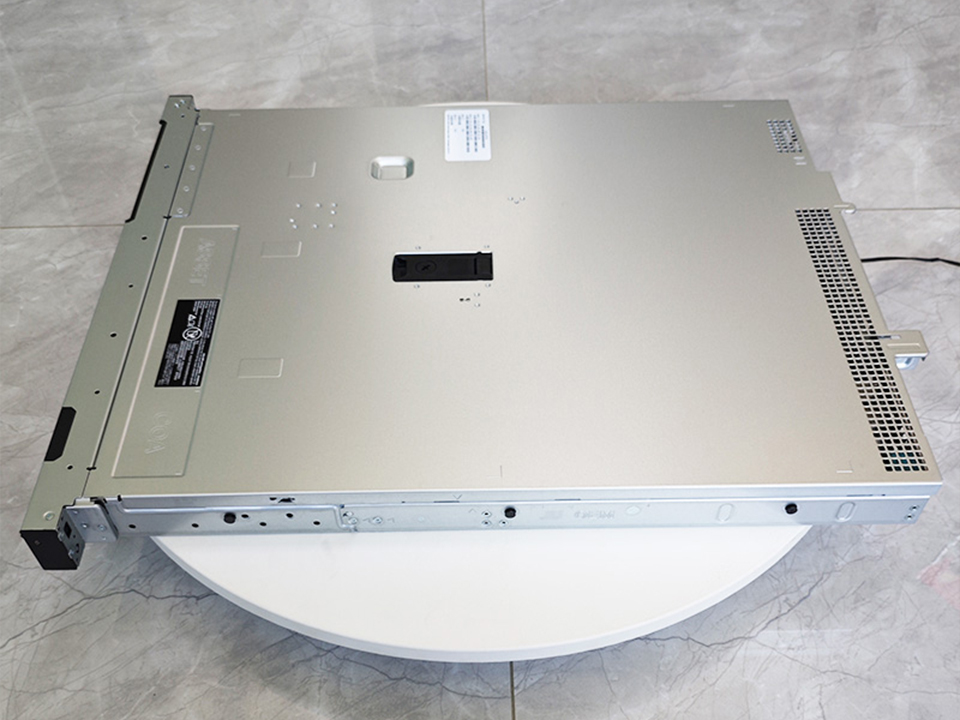
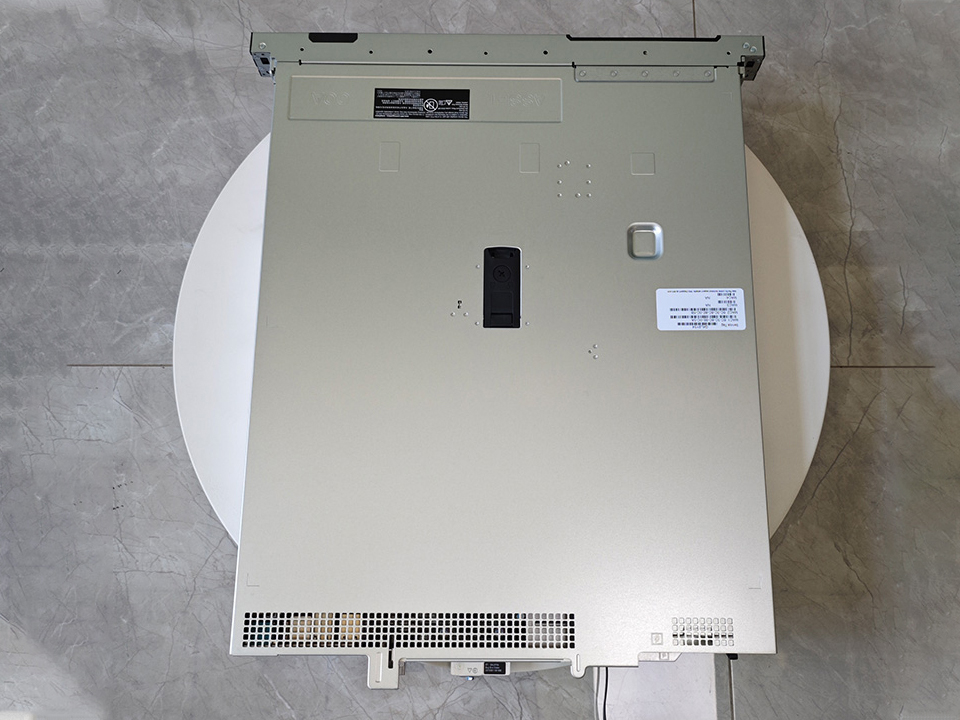
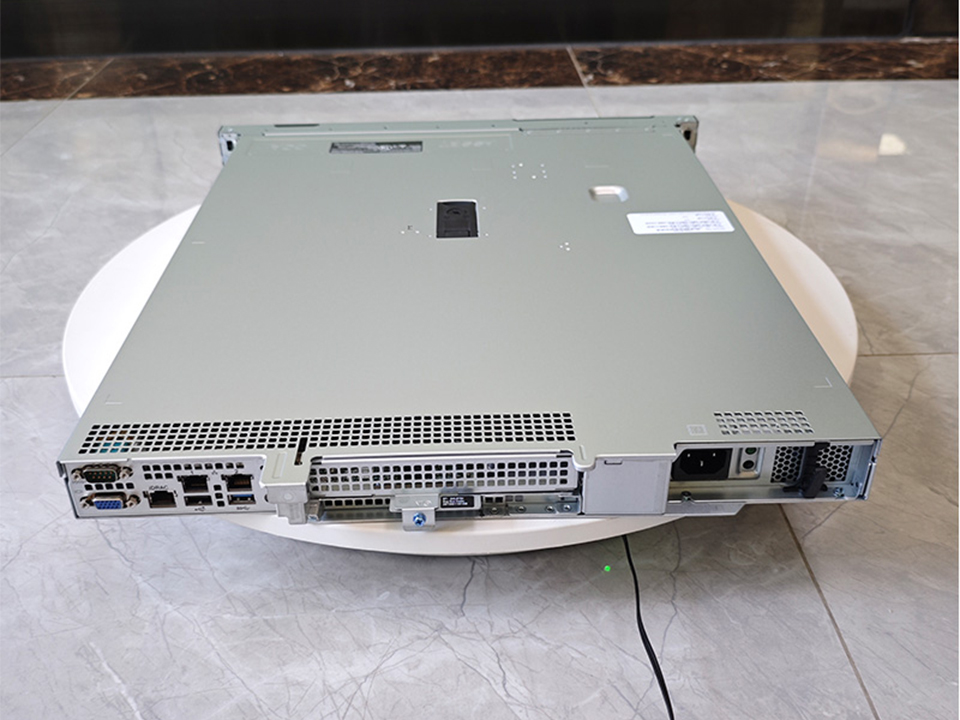
A 1U rack server is the skinny blade of the rack world: compact, efficient, and excellent when you already know exactly what you are doing.
For Manufacturing ERP, I like 1U when the workload is clean, virtualized, storage is external or carefully planned, and the buyer values rack density over physical expansion. A well-configured AMD EPYC 1U enterprise rack server for factory IT systems can make sense for branch plants, smaller ERP instances, application nodes, license servers, reporting nodes, domain services, or edge-adjacent workloads that do not require a pile of internal disks.
But 1U has a temper.
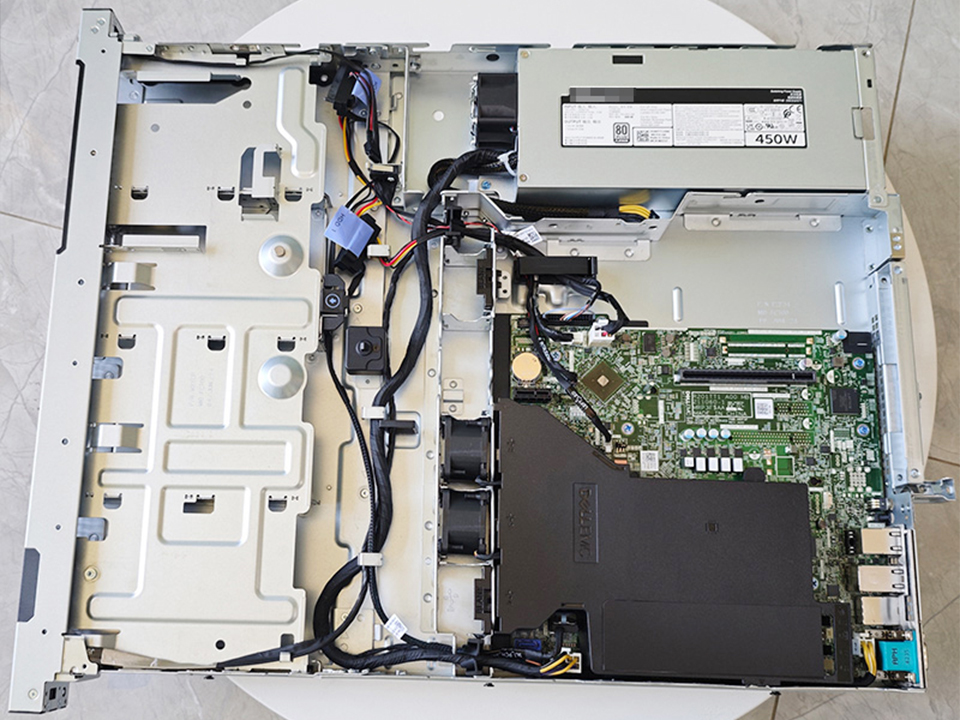
Fans are smaller. Acoustic pain is real. Thermal headroom can be tight. PCIe expansion is limited. Drive bays are limited. Cable routing gets ugly. And if your ERP database lives on internal storage, 1U may force compromises that look clever on a quote and stupid during a rebuild.
Would I run a serious on-premise ERP server database on 1U internal storage for a plant with 150 users, barcode guns, EDI, reporting, and nightly MRP?
Usually, no.
Not because 1U is weak. Because 1U gives you fewer physical escape routes when the workload grows, the ERP vendor adds modules, or the database starts needing more IOPS than procurement expected. In the real world, “we’ll just upgrade later” often means “we’ll schedule downtime after the next audit, after the next go-live, after the next fiscal close,” which means never.
2U rack servers: the boring winner for most Manufacturing ERP buyers
2U is where the grown-ups usually land.
A 2U chassis gives B2B buyers the best balance of compute, storage, thermals, expansion, and serviceability. It is not flashy. It is not the densest. It is not always the cheapest per rack unit. But for Manufacturing ERP, boring is often profitable.
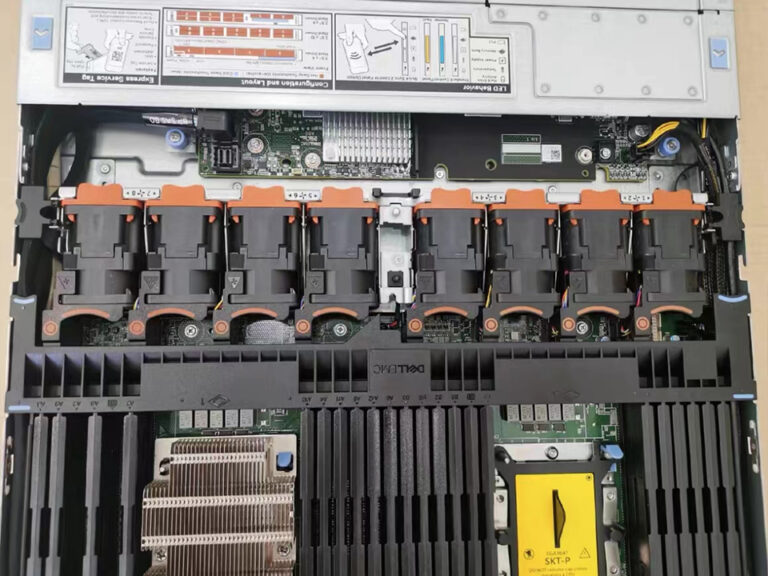
A platform like the Dell PowerEdge R740 2U rack server with 8 hot-swap bays fits the pattern: enough drive bays for RAID planning, enough PCIe room for HBAs or faster networking, enough airflow to avoid thermal drama, and enough service access that a technician does not need tweezers, prayer, and a maintenance window to replace hardware.
That matters.
The best server for manufacturing ERP is often a 2U dual-socket or high-core single-socket system with ECC RAM, redundant power, enterprise SSDs or mixed SSD/HDD tiers, 10/25GbE networking, and a support contract that does not require three escalations before someone ships a power supply.
I have a strong opinion here: if the ERP database is on-prem and business-critical, 2U should be the default starting point unless there is a hard reason not to use it.
Why? Because 2U lets you avoid heroic engineering. You can run the ERP application tier, database tier, or virtualization host with more honest redundancy. You can isolate logs from data. You can keep spare bays. You can add NICs. You can support backup acceleration. You can grow without immediately replacing the box.
And in manufacturing, avoiding heroics is half the job.
4U rack servers: powerful, roomy, and often politically dangerous
A 4U server is not “better” than 2U. It is bigger.
That sounds obvious, but procurement teams still confuse chassis size with seriousness. A 4U server can be the right call when Manufacturing ERP is tied to massive local storage, many expansion cards, GPU-assisted analytics, legacy PCIe dependencies, or mixed workloads that should probably be split but cannot be because budget politics won.
The 4U advantage is physical honesty: more bays, more airflow, easier service, more expansion, and more options for internal storage. For ERP environments with large attachments, CAD-linked documents, quality images, scanned certificates, long retention windows, or local backup repositories, 4U may reduce compromise.
But 4U has costs.
Rack space. Power draw. Cooling. Weight. Higher temptation to overload one chassis with too many business functions. And the worst habit of all: treating a big server as a dumping ground for every workload the company does not want to architect properly.
That is how “ERP server” becomes ERP, SQL, file shares, label printing, backup repository, BI, test instance, domain controller, random connector VM, and a forgotten Windows service running under a retired employee’s account.
Please do not do that.
For GPU-heavy analytics, AI inspection workloads, or HPC-style simulation near ERP data, a 2U dual-socket GPU server for AI, HPC, and data center use may be cleaner than forcing a 4U ERP box to become an everything-machine. Keep ERP boring. Put exotic workloads somewhere else.
1U vs 2U vs 4U comparison for ERP workload infrastructure
Buy it only when physical expansion is truly required
Edge/compact server
Factory floor collection, local buffering, remote line systems, OT-adjacent ERP connectors
Small footprint, rugged options, useful near machines
Not ideal for core ERP database hosting
Useful companion, not a replacement for the core ERP server
CPU: stop counting cores like a tourist
The CPU conversation gets abused.
ERP vendors love minimum requirements because minimum requirements protect support tickets, not business throughput. A 16-core processor might beat a 32-core processor if the workload is license-constrained, single-thread sensitive, or database-bound. And yes, clock speed still matters in boring transactional systems.
For Manufacturing ERP, I would separate CPU sizing by tier:
Database tier: high clock, large cache, fast memory channels, low storage latency, conservative overcommit.
Reporting/BI tier: more cores, more RAM, isolated from production ERP when possible.
Integration tier: resilient, monitored, and not allowed to quietly eat the ERP server alive.
An Intel Xeon rack server for enterprise storage and compute can still be a rational ERP choice where vendor certification, conservative IT policy, and predictable platform support matter more than benchmark theater. AMD EPYC can be excellent for density and core economics. The right answer depends on ERP licensing, database engine, virtualization layer, and whether your ERP vendor support team gets weird when they see a platform they do not certify often.
Hard truth: vendor support politics can matter as much as silicon.
RAM: the cheapest outage prevention you will still underbuy
RAM is where many ERP projects act poor and then pay rich.
Manufacturing ERP databases love memory because memory keeps hot data away from disk. Application servers like memory because user sessions, services, reports, and integrations do not politely stop at the estimate from the sales demo. Virtualization hosts need memory because overcommitment turns into paging, and paging turns into people blaming “the ERP.”
For a small Manufacturing ERP deployment, 64GB may be survivable. For mid-market production ERP, 128GB–512GB is more normal. For database-heavy or virtualized environments, 512GB+ is not exotic. It is insurance.
Do not confuse consumer memory with server memory either. The 16GB DDR5-4800 SO-DIMM laptop memory module is useful in its own category, but ERP server requirements belong in ECC RDIMM/LRDIMM territory, with platform-qualified modules and a memory population plan that preserves channel bandwidth.
That last part gets missed.
A server with “512GB RAM” can still be configured badly. Memory channels matter. DIMM count matters. Speed drop-downs matter. NUMA behavior matters. And if your ERP database licensing is per core, memory becomes even more valuable because it lets each licensed core do more useful work.
Storage: where cheap quotes go to die
Storage is the nastiest part of ERP hardware.
Not because disks are mysterious. Because people buy capacity when the ERP system needs latency, write endurance, queue depth, rebuild safety, and a backup design that can be restored before the plant manager learns your name.
For ERP databases, prioritize enterprise SSDs for active data and logs. Use separate volumes for OS, database files, transaction logs, tempdb/temp space, backups, and exports where the database engine benefits from it. For large document storage, archive data, or backup landing zones, enterprise HDDs can still be smart. A drive such as the Seagate Exos X18 16TB SATA enterprise HDD belongs in capacity-heavy roles, not as the only performance foundation under a busy ERP database.
RAID matters too.
RAID 10 is expensive and sane for performance-sensitive transactional workloads. RAID 5 is cheap until rebuild time and write penalty make everyone nervous. RAID 6 is safer for capacity arrays but not magic. NVMe can be excellent, but only if your backup, monitoring, thermal design, and failure procedures are equally serious.
Here is my rule: if storage failure would stop shipping, receiving, production posting, or invoicing, do not let the lowest bidder design the disk layout.
1U vs 2U vs 4U by ERP buyer profile
Buyer Profile
Recommended Form Factor
Why
25–75 ERP users, one plant, mostly standard modules
1U or 2U
1U works if storage is modest or external; 2U gives safer growth
75–300 ERP users, SQL-heavy, barcode/WMS, EDI, reporting
2U
Best balance of drive bays, memory, airflow, and expansion
Multi-plant manufacturer with virtualization cluster
2U nodes
Better density and maintenance than giant all-in-one servers
Document-heavy ERP with scans, CAD links, certificates, long retention
2U + external storage or 4U
4U only if internal storage is truly required
ERP plus machine vision, AI analytics, or simulation
Separate 2U GPU/HPC node
Keep ERP stable; do not mix volatile compute with production ERP
Remote factory, line-side data buffering, OT connector workloads
Cloud ERP vendors have been predicting the death of on-premise ERP for years. Fine. They can keep predicting.
Manufacturers still run on-premise ERP because plants have latency issues, custom integrations, local devices, compliance demands, acquisition history, awkward vendor dependencies, and downtime tolerances that do not fit a clean SaaS slide deck. A cloud-first policy looks beautiful until a label printer, weigh scale, PLC-adjacent connector, EDI translator, or ancient CNC integration refuses to behave.
That does not mean every manufacturer should buy servers forever.
It means the on-premise ERP server decision should be sober. If you keep ERP on-prem, build it like production infrastructure, not like a back-office afterthought. Redundant PSUs. ECC memory. Hot-swap bays. Remote management. Dual network paths. UPS integration. Tested restores. Spare drives. Documented firmware policy. Monitoring that wakes humans before users do.
The server is not the ERP strategy.
But a bad server will absolutely become the ERP strategy, because everyone will spend the next three years working around it.
B2B ERP server selection: what I would ask vendors before signing
A good server quote answers questions before procurement asks them.
Ask what happens when a drive fails during MRP. Ask how long a RAID rebuild takes. Ask whether the ERP vendor certifies the CPU generation, hypervisor, OS, and database version. Ask if the RAM layout preserves full memory channels. Ask whether the storage controller has cache protection. Ask whether NVMe drives are hot-swappable. Ask if firmware updates require downtime. Ask if the server has out-of-band management. Ask if the support SLA matches production reality.
And ask the ugly one: who owns the problem when ERP is slow but nothing is technically broken?
That question exposes weak vendors.
For Manufacturing ERP, “best server” does not mean maximum specs. It means fewer bottlenecks, fewer single points of failure, fewer weird thermal surprises, fewer vendor finger-pointing sessions, and enough headroom for the business the CFO says you will have in three years.
My controversial ranking
For most B2B buyers choosing a server for Manufacturing ERP, I rank the form factors like this:
2U first.
1U second, but only with discipline.
4U third, unless the storage or expansion case is real.
That may annoy hardware maximalists. Good. A 4U monster can be impressive, but it can also mask bad architecture. A 1U fleet can be elegant, but it can also punish teams that lack external storage discipline. A 2U server is the pragmatic middle: enough room to do the job properly without inviting every orphan workload into the same chassis.
Manufacturing ERP rewards boring infrastructure.
It punishes cleverness.
FAQ
What is the best server size for Manufacturing ERP?
The best server size for Manufacturing ERP is usually 2U because it balances CPU capacity, ECC memory, hot-swap storage, PCIe expansion, airflow, and serviceability better than most 1U or 4U alternatives for mid-market factories running databases, integrations, reporting, and production transactions. After that, the choice depends on user count, storage design, ERP vendor certification, and whether the database runs on local disks or shared storage.
A small plant may run ERP application services on 1U hardware, especially with external storage or virtualization. A storage-heavy manufacturer may justify 4U. But if I had to pick one default for ERP workload infrastructure, I would start with 2U and force every exception to defend itself.
How do I choose a server for manufacturing ERP?
To choose a server for manufacturing ERP, size the workload around database latency, concurrent users, memory cache, transaction peaks, integrations, storage redundancy, backup recovery time, and vendor support requirements instead of buying only by CPU core count or rack-unit height. Then map those requirements to 1U, 2U, or 4U based on expansion and serviceability.
Start with the ERP vendor’s supported stack, not its minimum stack. Then pressure-test the design against month-end close, MRP runs, barcode traffic, EDI bursts, reporting jobs, and restore scenarios. If the server quote does not discuss storage layout and recovery time, it is not finished.
Is 1U enough for an on-premise ERP server?
A 1U server can be enough for an on-premise ERP server when the manufacturer has a smaller user base, modest database growth, external storage, strong virtualization discipline, and no need for many internal drives or PCIe expansion cards. It is less attractive when ERP performance depends heavily on local storage, thermal margin, or future hardware growth.
I would use 1U for application tiers, remote sites, smaller ERP workloads, or clustered nodes. I would be cautious about using 1U as the main ERP database server for a growing factory unless the storage and backup architecture are already mature.
When should a buyer choose a 4U server for ERP?
A buyer should choose a 4U server for ERP when internal storage density, expansion cards, service access, airflow, or legacy hardware dependencies are more important than rack density and power efficiency. It fits document-heavy ERP environments, large local backup repositories, unusual PCIe needs, or sites that cannot use external storage cleanly.
But I would not choose 4U just because it feels safer. Big chassis can encourage bad consolidation. If ERP, backups, file shares, analytics, and test systems all end up on one oversized server, the form factor did not solve risk; it concentrated it.
What are common Manufacturing ERP hardware requirements?
Common Manufacturing ERP hardware requirements include server-grade CPUs, ECC memory, enterprise SSD or hybrid storage, redundant power supplies, hot-swap drive bays, dual network paths, remote management, validated operating systems, database support, backup capacity, and enough RAM to keep active ERP data cached during production peaks. Requirements rise quickly with users, plants, modules, and integrations.
The overlooked requirements are usually not glamorous: transaction-log placement, restore testing, firmware policy, support SLA, monitoring, and spare-part availability. Those decide whether a hardware issue stays small or becomes a production meeting with everyone angry.
Should ERP run on the same server as analytics or AI workloads?
ERP should not usually run on the same server as analytics, AI, machine vision, or HPC workloads because those systems have different performance patterns, update cycles, failure modes, and resource spikes that can destabilize production transactions. ERP infrastructure should be predictable, conservative, and boring; experimental compute should be isolated.
If analytics needs ERP data, replicate or stage the data properly. Do not let a reporting model, GPU job, or poorly timed extract slow order entry, inventory posting, or production scheduling. Clean separation is cheaper than explaining why the ERP froze during shipping.
Final word: buy the server your plant can survive with
A Manufacturing ERP server is not just hardware. It is a business promise in metal, silicon, firmware, and support terms.
If you are buying for a serious factory, start with 2U, challenge the storage design, overbuy RAM before you overbuy CPU, keep ERP away from experimental workloads, and demand proof of restore procedures before anyone celebrates the quote. Use 1U where density makes sense. Use 4U where expansion is real. But do not let rack height become a substitute for architecture.
Ready to spec the right ERP infrastructure? Start with the workload, not the chassis, and make every vendor explain how their server keeps production moving when something fails.