Looking to contact semiconductor manufacturer teams for wet process equipment? Meraif supports Southeast Asia buyers with solutions for silicon wafers, IC wafers, advanced packaging, IC substrates, and SMT—backed by patented nozzle technology, vacuum negative pressure spray cleaning, and supercritical fluid expertise for high-precision semiconductor cleaning.
How to Choose Rack Servers for Enterprise Workload Growth Plans
I have watched enterprise rack servers get justified with beautiful five-year charts, then shoved into racks where the power headroom was already gone, the cooling map was fiction, and nobody wanted to admit the workload forecast had been written by a sales deck wearing a finance badge. Why does this keep happening?
Because rack servers are not just compute boxes. They are claims on power, floor space, airflow, firmware discipline, security patch windows, procurement leverage, and the patience of everyone who has to explain why “just add nodes” stopped working after quarter three.
The hard truth: most rack server buying guides are too polite. They ask you to compare CPUs, RAM, drives, and price. Fine. But enterprise workload growth does not fail because someone picked the second-best processor. It fails because nobody tied server capacity planning to the actual constraint: watts per rack, IOPS per dollar, east-west traffic, thermal behavior, spare-part access, and refresh timing.
Table of Contents
Start with workload growth, not server SKUs
Before asking how to choose rack servers, ask what kind of growth is actually coming.
Not vibes. Numbers.
A 20% annual increase in virtual machines is not the same animal as a 20% increase in inference calls, database writes, ERP transactions, or CI/CD jobs. One grows gently. One eats memory. One burns storage. One detonates network traffic at 2:17 a.m. and then pretends it is “intermittent.”
The International Energy Agency projects global data center electricity consumption to roughly double to about 945 TWh by 2030, with accelerated servers growing faster than conventional servers; that matters because enterprise teams buying “normal” data center servers are now competing for power, cooling gear, lead time, and engineering attention with AI-heavy infrastructure projects.
Remote management, parts standardization, ruggedness
Here is my unpopular view: the “best rack servers for enterprise workloads” are rarely the fastest ones. They are the ones your team can patch, cool, monitor, cable, replace, finance, and scale without begging three departments for emergency approval.
Separate capacity planning from procurement theater
Server capacity planning should be hostile to optimism.
I like a simple test: take the workload forecast, add 30% error margin, then ask what breaks first. CPU? RAM? Storage? Network? Rack power? Cooling? Procurement lead time? Staff time?
The answer is often not compute.
Reuters reported in December 2024 that a U.S. Department of Energy-backed Lawrence Berkeley National Laboratory study found U.S. data-center power use could nearly triple by 2028, reaching 6.7% to 12% of total U.S. electricity consumption; the same report noted that GPU-accelerated servers helped more than double sector power use between 2017 and 2023.
That is not an abstract hyperscaler problem. It lands inside enterprise planning as higher colo costs, tighter power allocations, longer cooling upgrades, and less tolerance for sloppy server density decisions.
So do not ask, “How many servers can we afford?”
Ask this instead: “How many servers can we power, cool, network, secure, and operate at 70% target utilization without killing resilience?”
Choose the rack form factor by constraint, not ego
The default enterprise rack server conversation usually circles around 1U vs. 2U vs. 4U.
Good. But shallow.
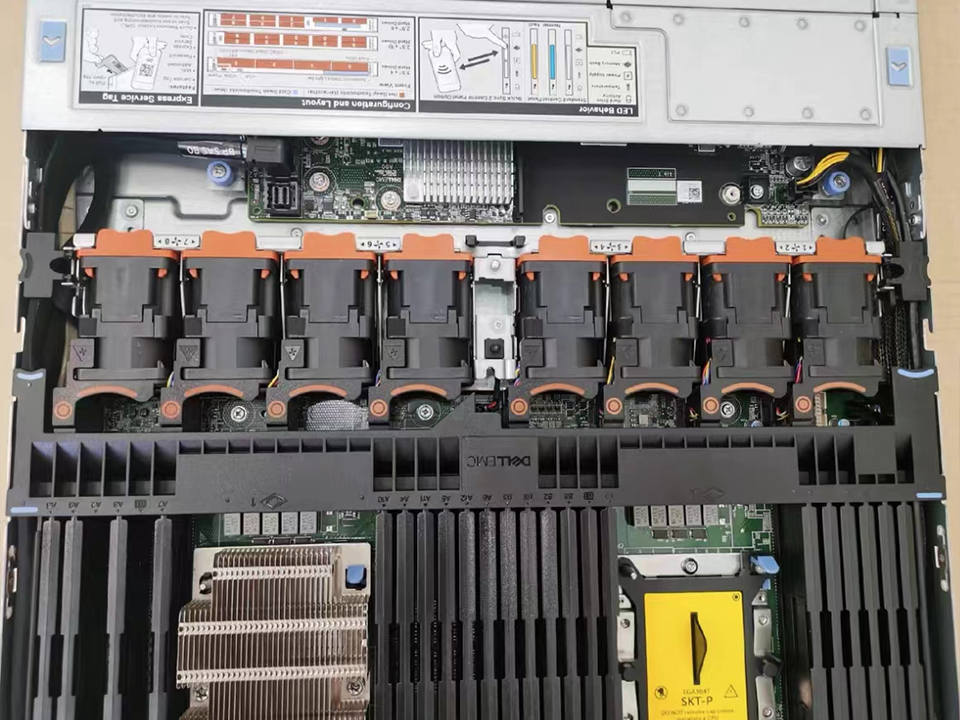
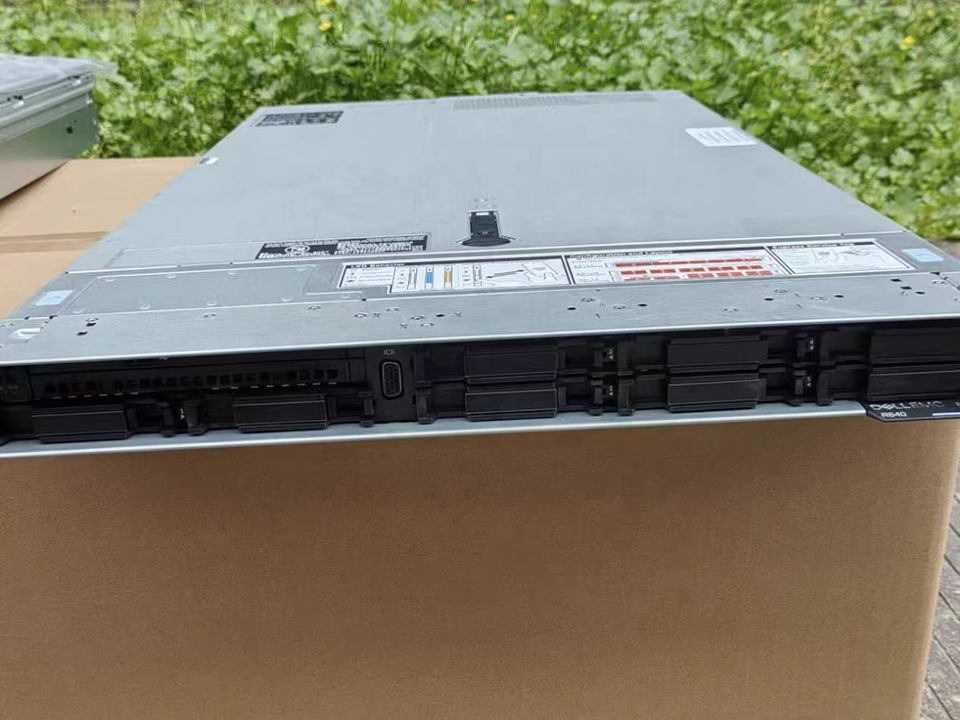
A 1U rack server looks efficient until you need more PCIe cards, local NVMe, GPUs, or airflow forgiveness. A 2U server can feel boring, but boring is often what production wants. A 4U chassis may look excessive until your workload needs GPUs, dense storage, or expansion lanes without thermal drama.
For most enterprise workload growth plans, I would rather see a disciplined 2U standard than a random zoo of “deal” servers bought across three budget cycles. Standardization wins. Not always on day one. Usually by year two.
Treat power and cooling as first-class buying criteria
This is where buyers get exposed.
If the rack power budget is 8 kW and your future state wants 14 kW, the spreadsheet is lying. If the hot aisle is already running angry, the next server refresh is not a refresh. It is a thermal negotiation.
Uptime Institute’s 2024 outage analysis says 54% of respondents in its 2023 data center survey reported their most recent significant, serious, or severe outage cost more than $100,000, while 16% said it cost more than $1 million; it also states power issues remain the most common cause of serious and severe data center outages.
Tiny mistake. Giant invoice.
And yes, this is also where manufacturing quality sneaks into IT outcomes. Server reliability begins long before a box reaches your rack: PCB soldering, thermal control, board inspection, and process repeatability matter. If your organization manages electronics production or evaluates suppliers, a tool like a 9-channel thermal profiler kit for reflow oven process validation belongs in the same mental bucket as server burn-in data: it tells you whether heat was measured or merely assumed.
Do not buy CPUs. Buy workload fit.
CPU selection gets over-glamorized.
Core count matters, yes. So does clock speed. So does cache. So does memory bandwidth. But the more interesting question is whether the workload is latency-sensitive, throughput-heavy, license-bound, memory-starved, or storage-choked.
A virtualized enterprise environment may benefit more from balanced core density and large RAM capacity than from top-bin CPUs. A database cluster may punish you for underbuying memory before it rewards you for exotic processors. A software build farm may want high thread counts and fast scratch storage. A small AI inference stack may care more about accelerator support and PCIe lanes than CPU bragging rights.
The rack server buying guide nobody wants to write says this: software licensing can make “more cores” financially stupid. If your database, hypervisor, analytics platform, or security tool prices by core, a slightly slower but better-balanced CPU may beat a flagship part on total cost.
Memory is where growth plans quietly become real
RAM is not glamorous. It is also where many enterprise rack servers age badly.
For virtualization, container platforms, in-memory databases, caching layers, and analytics systems, memory headroom often decides whether growth is smooth or humiliating. I generally distrust any plan that buys servers with half-populated DIMM slots but no documented upgrade path, no price protection, and no memory population rules written down.
Look for:
Enough DIMM slots for year-three growth
Supported memory speeds at full population
Error correction support
Realistic cost of later upgrades
Vendor-approved configurations
NUMA behavior under load
And please stop treating memory as a line item to “trim” after the architecture review. That trim usually comes back as latency, paging, noisy-neighbor fights, and weekend work.
Storage decisions should follow failure math
Enterprise storage planning has a smell test: what happens when a drive fails during peak load?
If nobody can answer, the design is not finished.
NVMe is fast. SATA is cheaper. SAS still has a place. RAID can help. Software-defined storage can be excellent. It can also turn into a blame machine if the network is weak, firmware is inconsistent, or the team never tested rebuild behavior under load.
For growing workloads, I want to know:
Storage question
Why it matters
What is the write-heavy growth rate?
Databases and logs can punish cheap designs
What rebuild time is acceptable?
Large drives can extend exposure windows
Is storage local, shared, or hybrid?
Operational responsibility changes
What is the backup ingest rate?
Growth breaks backup windows first
Are drives hot-swappable?
Serviceability affects downtime
Are firmware versions controlled?
Random firmware equals random pain
Server buyers love capacity numbers. Operators care about failure behavior.
Network headroom is not optional
A rack full of servers with weak networking is just a crowded room where nobody can speak.
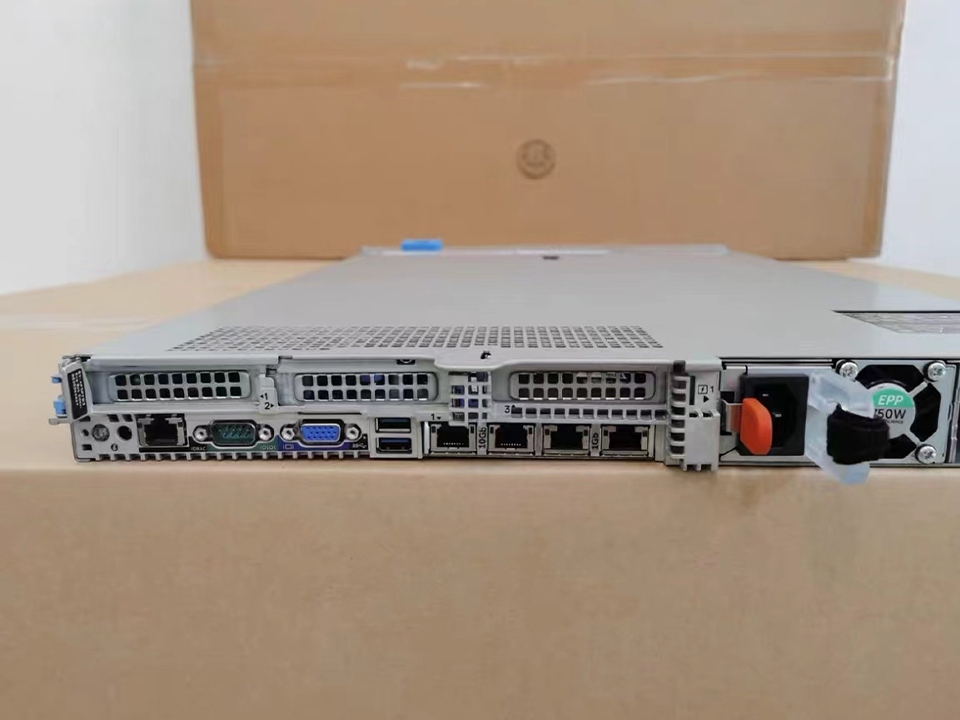
For modern enterprise rack servers, 10GbE may be the floor, not the future. Many growth plans should model 25GbE, 100GbE, or faster links depending on storage, virtualization, east-west traffic, and AI-adjacent workloads. The network does not merely carry user traffic anymore; it carries replication, backups, observability, storage, security inspection, and cluster chatter.
NVIDIA’s GB200 NVL72 design is an extreme example rather than a normal enterprise default, but it shows where dense compute is headed: 72 GPUs in a rack-scale liquid-cooled system, with NVLink used to reduce communication bottlenecks and raise compute density.
No, most companies do not need that. But the direction is clear: server choice and network architecture are becoming harder to separate.
Demand remote management and firmware discipline
If I had to judge an enterprise rack server plan in five minutes, I would ask for the firmware policy.
Not the glossy hardware spec. The firmware policy.
Who updates BIOS, BMC, NIC, RAID, drive, and GPU firmware? How often? In what order? After what test? With what rollback path? Across which clusters? During which windows?
Bad firmware management is the dark matter of infrastructure incidents: invisible in procurement, heavy in production.
Look for servers with mature out-of-band management, API access, role-based access control, event logging, secure boot options, TPM 2.0 support, signed firmware, and vendor lifecycle transparency. Growth increases fleet size. Fleet size punishes manual heroics.
Standardize brutally, but not blindly
There are two bad extremes.
One team buys whatever is cheapest that quarter. Another team standardizes so tightly that every workload gets forced into the same chassis like a bad prison uniform.
The better model is controlled variety: one standard compute node, one memory-heavy node, one storage-heavy node, one accelerator-ready node, and a written exception process. That gives procurement leverage without making engineering pretend all workloads are cousins.
This is where manufacturing analogies help. In electronics production, nobody serious treats thermal repeatability as decorative. They verify it. A 7-channel SMT reflow oven thermal profiler exists because small thermal differences can become yield problems. Rack server standardization works the same way: small configuration differences become fleet-management problems.
Check the supply chain beneath the server brand
A rack server is an ecosystem wearing a bezel.
The label on the front matters less than the reliability of the board supply, firmware support, drive sourcing, memory qualification, warranty path, and replacement logistics. I care whether the vendor can ship identical replacement units in 18 months. I care whether the NIC model changes silently. I care whether the RAID controller gets swapped mid-contract because someone found a cheaper part.
If your company operates near hardware manufacturing, the lesson is familiar. A stable SMT PCB assembly line reflow oven is not glamorous, but it is part of the chain that decides whether boards survive real thermal stress. Enterprise IT buyers should think the same way about server platforms: repeatability beats brochure speed.
Make the buying decision with a growth matrix
Here is the simple matrix I use when reviewing rack server growth plans. It is not elegant. It works.
Decision area
Minimum acceptable answer
Red flag
Workload forecast
3-year model by CPU, RAM, storage, network, power
“We expect growth”
Rack power
Per-rack watts mapped to future density
No power budget
Cooling
Hot/cold aisle and inlet temperature data
“Facilities says okay”
Compute
CPU chosen by workload profile
Chosen by discount
Memory
DIMM plan through year three
Empty slots with no upgrade quote
Storage
Failure and rebuild model
Capacity-only design
Network
East-west and backup traffic modeled
Only user traffic counted
Firmware
Written update and rollback policy
Manual ad hoc patching
Support
SLA, spares, lifecycle dates
Warranty hidden in quote
Expansion
Documented trigger points
“We’ll add more later”
The best answer is not always the biggest server. Sometimes it is fewer, better-balanced machines with cleaner power math and less operational drag.
Where enterprise buyers overpay
I will say the quiet part: a lot of rack server overspending is fear spending.
Teams overbuy CPU because they under-measure workload. They overbuy storage because retention policy is vague. They overbuy premium support because internal escalation is broken. They underbuy networking because switches are a different budget owner. Then everyone acts surprised when the cheap part becomes expensive and the expensive part sits underused.
For enterprise rack servers, total cost has at least six layers:
Cost layer
What buyers count
What they forget
Hardware
Server, drives, memory, NICs
Rails, cables, optics, spares
Software
OS, hypervisor, database
Per-core licensing impact
Facilities
Rack space
Power, cooling, UPS capacity
Operations
Monitoring
Firmware, patching, incident work
Downtime
SLA penalties
Reputation and customer churn
Refresh
Replacement unit
Migration labor and disposal
This is why “best price” procurement can be a trap. The quote is not the cost. The cost is the quote plus everything the quote caused.
Use thermal evidence before betting on density
High-density plans need proof.
I want inlet temperature data, power draw under load, fan behavior, cable airflow review, and failure testing. If you are moving from 5 kW racks to 12 kW racks, do not wave at a facilities diagram and call it engineering.
In manufacturing, teams use tools like an adjustable stainless steel KIC carrier for reflow ovens because repeatable test positioning matters. In data centers, the same principle applies: if sensor placement, airflow mapping, or load testing is sloppy, your density plan is theater.
How to choose rack servers for enterprise workloads: my short version
Choose rack servers by matching workload growth to power, cooling, memory, storage, network, manageability, and lifecycle constraints before comparing model names. A strong enterprise rack server plan defines three-year demand, validates rack-level facility limits, standardizes configurations, models failure behavior, and avoids buying raw compute that the data center cannot support.
That is the sober answer.
The buying committee may want a single “best rack server.” I do not trust that question. I trust a plan that says: here are our workloads, here is our growth, here is the constraint, here is the standard build, here is the exception build, here is the failure test, and here is the date we stop scaling this platform.
FAQ
What are rack servers?
Rack servers are standardized, rack-mounted computers designed to fit into data center cabinets and run enterprise workloads such as virtualization, databases, applications, analytics, storage services, and private cloud platforms across predictable physical space, power, cooling, and service-access constraints. They are chosen for density, manageability, scalability, and repeatable deployment.
In plain English: they let you stack compute in an orderly way. The trick is not stacking too much compute into a rack that cannot power or cool it.
How do I choose rack servers for enterprise workload growth?
To choose rack servers for enterprise workload growth, start with a three-year workload forecast, then map CPU, memory, storage, network, power, cooling, licensing, and support needs against rack-level limits and operational capacity. The right server is the one that scales cleanly without creating hidden facility or management debt.
Do not begin with a vendor catalog. Begin with constraints. Then force the vendor to prove fit.
What rack server is best for growing enterprise workloads?
The best rack server for growing enterprise workloads is usually a balanced 2U enterprise platform with strong memory capacity, flexible storage, high-speed networking, remote management, redundant power, proven firmware support, and enough expansion headroom for year-three demand. Specialty workloads may need 1U density, storage-heavy 4U systems, or accelerator-ready designs.
My bias: boring, standardized, serviceable servers beat exotic systems unless the workload proves otherwise.
Are 1U or 2U rack servers better for enterprise use?
1U rack servers are better for dense, standardized, mostly stateless workloads, while 2U rack servers are better for mixed enterprise systems that need more memory, storage, expansion slots, and cooling flexibility. The better choice depends on whether rack space or operational flexibility is the tighter constraint.
If the workload is predictable and fleet-managed, 1U can shine. If the workload is mixed or still evolving, 2U often saves pain.
How much capacity headroom should enterprise rack servers have?
Enterprise rack servers should usually be planned with enough headroom to absorb forecast error, maintenance windows, hardware failure, seasonal peaks, and workload shifts without running production near saturation. Many teams model around 60% to 70% steady-state utilization, then reserve additional space for failover and unexpected growth.
Running hot looks efficient until something breaks. Then it looks reckless.
Conclusion
If you are choosing rack servers for enterprise workload growth plans, do not buy a model number. Build a constraint map. Audit power. Audit cooling. Audit software licensing. Audit firmware operations. Then choose the smallest standardized server family that can survive the next three years without turning every growth milestone into a late-night incident.